

Key Concepts
The words Obert uses for signals, leads, lists, campaigns, and the feed.
These are the words you will see in the product. The docs use the same ones.
Signal
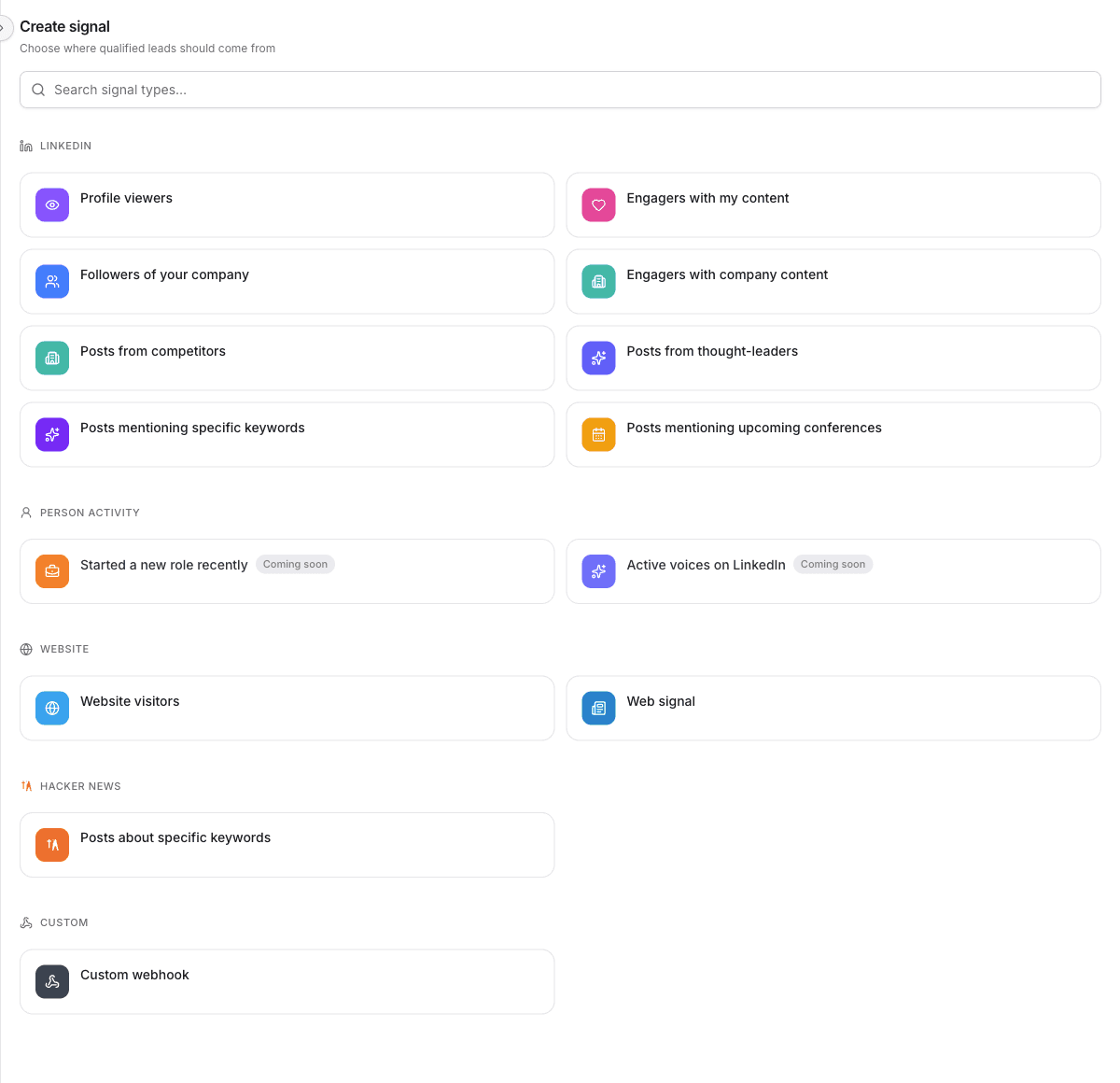
A signal watches one source for people who match your qualification agent. Sources include your LinkedIn profile, your posts, competitor posts, your website, or a webhook you control.
Each check is a signal run. A run records who was found and who was new.
Example: An Engagers with my content signal checks the posts on your LinkedIn account and surfaces people who liked or commented.
Signals Feed
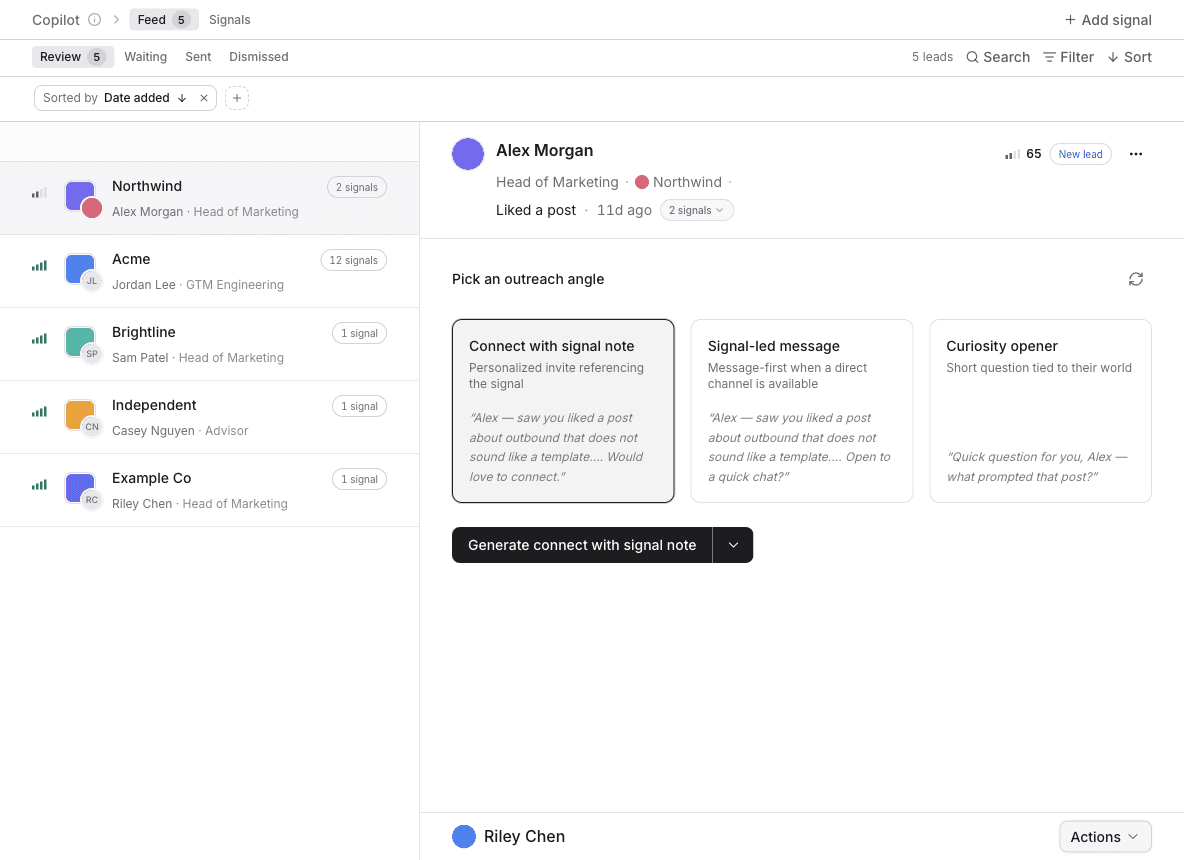
Signals Feed is where qualified leads from your signals land, with outreach already drafted. Open it from the left sidebar.
Inside, two tabs split the work:
- Feed — review a lead, send the sequence, or dismiss them.
- Signals — create and manage the sources that fill the feed.
The page header calls this area Copilot. The sidebar calls it Signals Feed. They are the same place.
Lead
A lead is a person in your workspace. Signals, Finder, and imports all create leads. A lead has a profile, a company, and a history of what Obert has done with them.
In the feed, a lead is waiting for a decision: Send sequence or Dismiss.
Account
An account is a company. Obert creates accounts from the companies your leads work at, and you can import companies directly.
An account links every lead who works there. Account pulse rolls up conversations, campaigns, and engagement for that company.
List
A list is a group of leads or a group of accounts. Campaigns enroll lists. Signals can add people to a list when you route them there.
Lists can be filled by hand, by a signal, or by combining other lists.
Qualification agent
A qualification agent is the definition of who fits. Signals, Finder, and lists check people against it. Only matches continue.
You set one up during onboarding. Reuse it, or create another in Settings → Qualification when a motion needs a different buyer.
Campaign
A campaign is an outreach sequence you design. Steps can be LinkedIn (a connection request, a message, an InMail) or Send email, plus waits and branches. It enrolls leads from lists and sends from the senders you assign. A Send email step needs a mailbox on that sender, and an email address on the lead.
Signals Feed can also generate a sequence for one lead and send it without you building the campaign first.
Sender
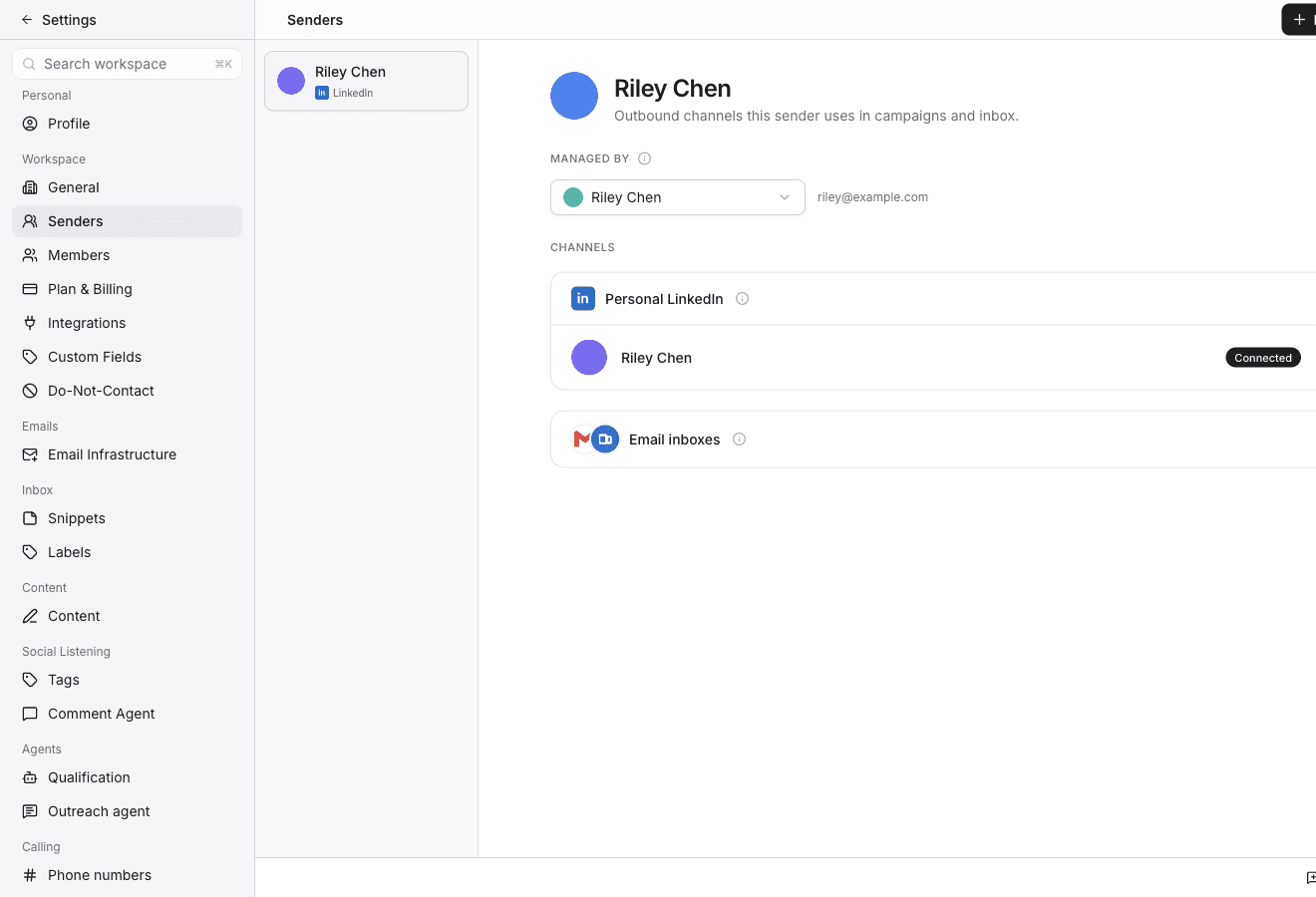
A sender is who Obert sends as. Each sender can have a LinkedIn account and one or more email inboxes. Open them in Settings → Senders. Connect LinkedIn with Connect LinkedIn. Connect a mailbox with Connect inbox under Email inboxes: a personal Gmail, Outlook, or IMAP inbox, or an Obert mailbox from Email infrastructure. LinkedIn senders have daily limits and working hours.
Inbox
The inbox is every conversation across your senders. LinkedIn and email sit in the same place. Replies are classified so you can see who is interested.
Warmup
Warmup keeps you visible to people you are not ready to message yet. Obert watches their LinkedIn activity and engages with it from your connected accounts.
Finder
Finder searches for people and companies outside the leads you already have. Save a search, then import the records you want into a list.
Analytics
Analytics is outbound performance: sends, replies, acceptance, and calls. A report is one saved chart. A dashboard is a page of those charts, with one date range and one set of filters for the page.
Open it from Insights → Analytics in the left sidebar. Post reach stays on Content → Analytics.