

Analytics
Analytics
Read outbound performance by campaign, sender, channel, and call outcome.
Analytics is where you read how outbound is doing. Every number comes from the same sends, replies, and calls as the rest of Obert, so a dashboard agrees with the campaign list.
- Click Analytics in the left sidebar, under Insights.
- Stay on Dashboards, or open Reports for the saved charts.
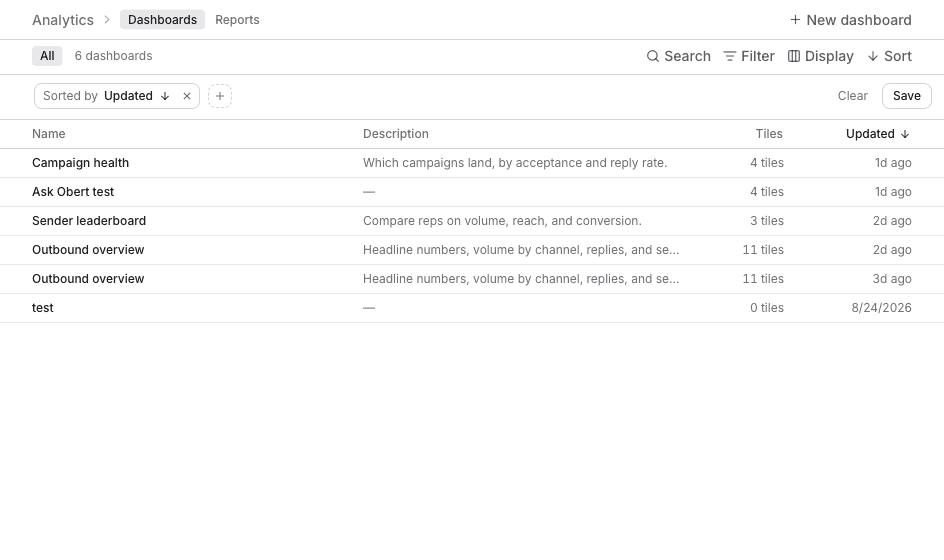
A dashboard is a page of charts you check again. A report is one saved chart. The same report can sit on more than one dashboard. Editing the report updates every dashboard that shows it.
Post reach (impressions, reactions, comments) lives on Content, on the Analytics tab there. This section is outbound.
Start from a template
- On Dashboards, click New dashboard.
- Pick a template, or Blank dashboard.
- Name it, or leave the template name.
- Click Create dashboard.
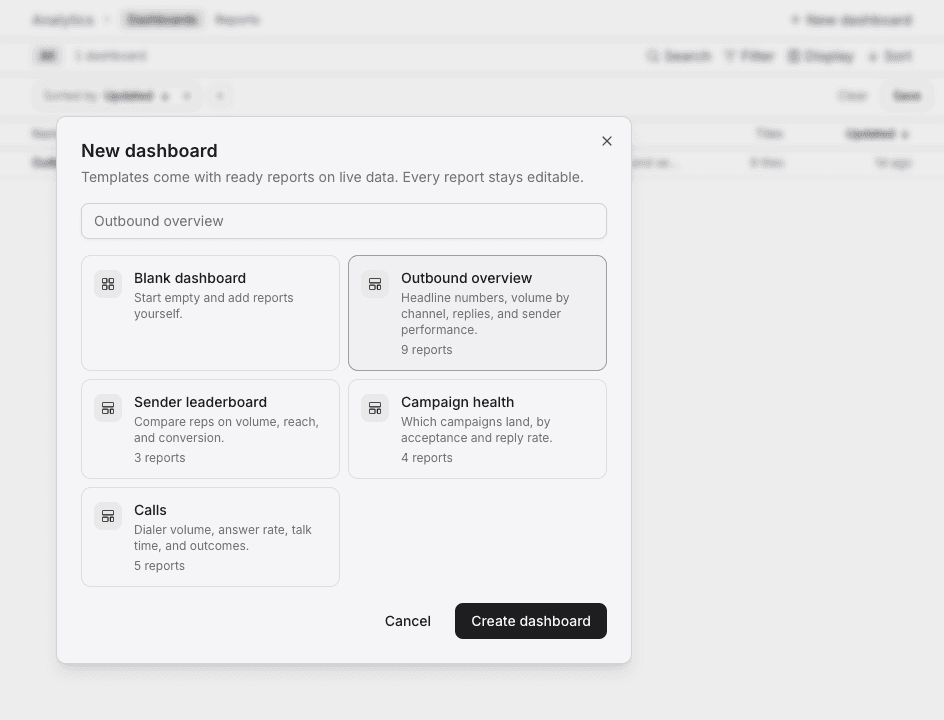
| Template | What you get |
|---|---|
| Outbound overview | Headline numbers, volume by channel, replies, and sender performance |
| Sender leaderboard | Volume, reach, and conversion by sender |
| Campaign health | Acceptance rate and reply rate by campaign |
| Calls | Dialer volume, answer rate, talk time, and outcomes |
| Blank dashboard | An empty page you fill yourself |
Right-click a dashboard for Duplicate or Delete. Deleting a dashboard keeps its reports.