

Signal Types
What each signal type watches, and when to use it.
Each signal type watches a different source. You can run several at once. Qualified people from all of them land in the same feed.
Pick a type in Signals Feed → Signals → Add signal. The picker search box is Search signal types….
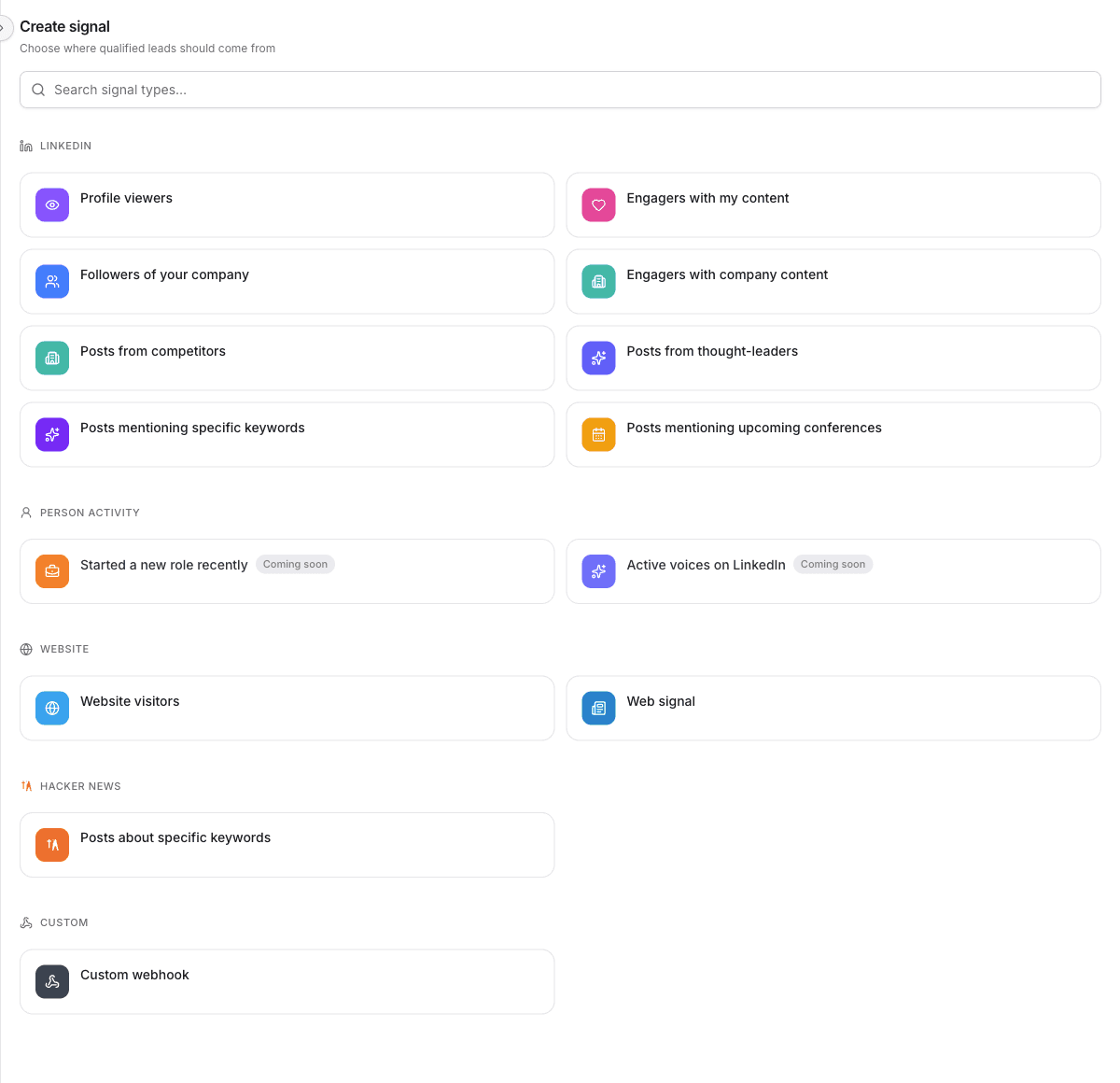
Types with a Coming soon badge are not available yet.
On your LinkedIn
Profile viewers
People who viewed the LinkedIn profile of a connected account. The account needs Sales Navigator, because that is how LinkedIn exposes viewers.
Best for: Warm outreach to people who already looked at you.
Example: A buyer reads your post, opens your profile, and shows up in the feed before you go find them.
Engagers with my content
People who liked or commented on posts from a connected account.
Best for: A first signal. You only need the account you already connected.
Example: Someone comments on your post about outbound. They are already in the conversation. The feed drafts a reply path for them.
Followers of your company
New followers of your workspace's LinkedIn company page.
Best for: Catching people who chose to follow you.
Engagers with company content
People who liked or commented on posts from your company page.
Best for: The same intent as engagers on a personal profile, on the company page instead.
On other people's LinkedIn
Posts from competitors
People who wrote, commented on, or liked posts from competitor company pages you choose.
Best for: Finding buyers who are already paying attention to the other options in your category.
Posts from thought-leaders
People who engaged with posts from specific LinkedIn profiles.
Best for: A niche where the same few people shape the conversation. Commenters there are often in-market.
Posts mentioning specific keywords
People who engaged with LinkedIn posts that match the keywords you set. You choose whether to include authors, commenters, and likers.
Best for: A topic your buyers talk about in public, when you do not have a fixed list of profiles to watch.
Example: Keywords for "outbound hiring" surface people reacting to posts about building a sales team.
Posts mentioning upcoming conferences
People who posted about a conference, or engaged with posts about it.
Best for: The weeks before an event you are attending or sponsoring.
Off LinkedIn
Website visitors
People matched from traffic on a site you track. You choose the site, and you can prioritize paths such as /pricing or /demo.
Best for: Intent that already happened on your site. Set up website visitors before this signal has anything to watch.
Custom webhook
A URL Obert gives you. Your system sends a LinkedIn profile URL, Obert enriches it, runs qualification, and puts matches in the feed.
Best for: A source Obert does not watch itself: your CRM, a form, or an internal tool.
Which type to start with
| You want | Start with |
|---|---|
| The fastest setup | Engagers with my content |
| People who already looked at you | Profile viewers |
| Buyers talking about a topic | Posts mentioning specific keywords |
| Buyers around a competitor | Posts from competitors |
| People already on your site | Website visitors |
| A source you control | Custom webhook |
Most teams run a few types together. One watches their own content. Another watches the market.