

Signals Feed
Review the feed
Decide what to do with each lead Signals Feed surfaces.
Signals Feed is the queue of people your signals qualified. Each lead arrives with the reason they showed up and a drafted sequence. You send it or dismiss it.
Open the feed
- Click Signals Feed in the left sidebar.
- Stay on the Feed tab.
- Use Review for leads waiting on you.
The other views are Waiting, Sent, and Dismissed.
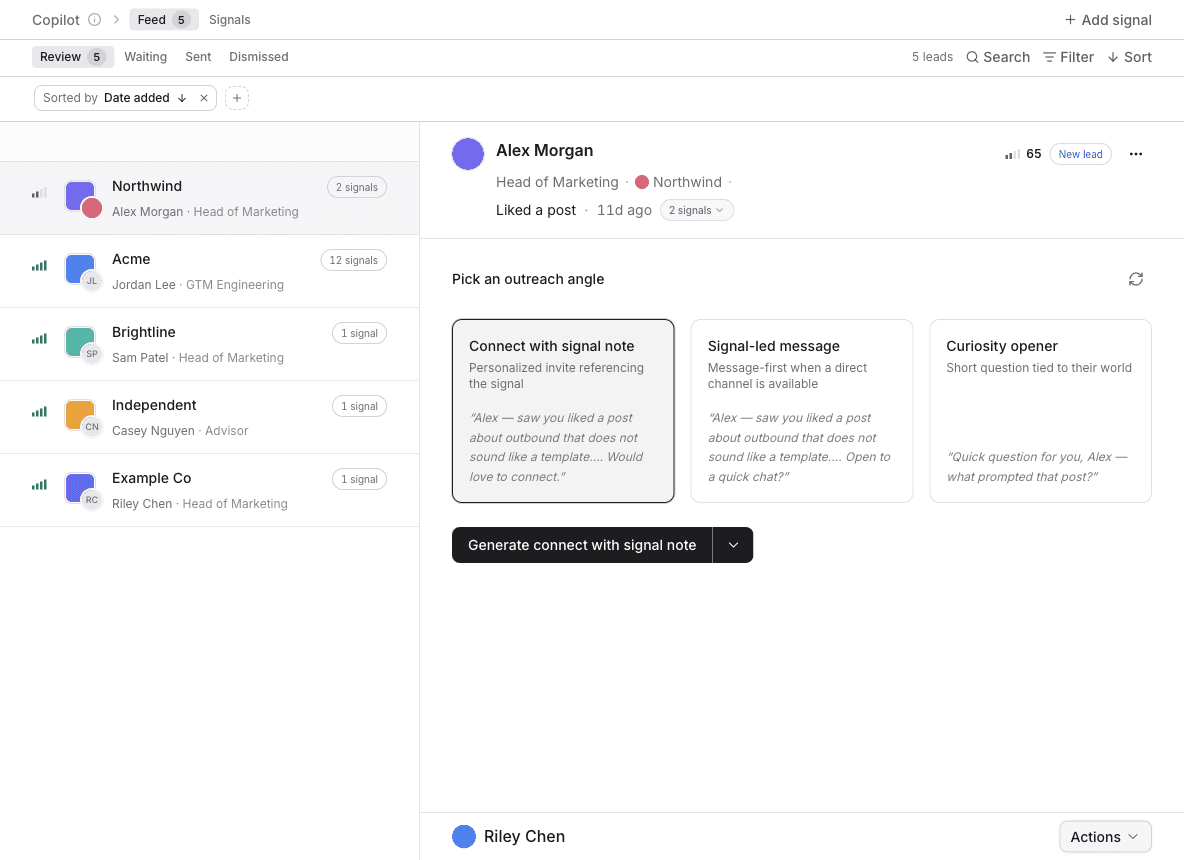
Review a lead
- Click a lead.
- Read Signal history for why they are here.
- Read Outreach for the drafted sequence.
Send or dismiss
- Click Send sequence to start the drafted outreach.
- Click Dismiss to remove the lead from the review queue.
Send sequence enrolls the lead and moves them to Sent. Dismiss moves them to Dismissed.
If the sequence is not what you want, click Regenerate sequence before you send. You can add instructions for the rewrite.
Nothing in Review
A new signal needs a run before anyone appears. On the signal, click Launch and then Run now if you have not yet. People who fail the qualification agent never reach this list.