

Assign senders
Choose which senders run the campaign, including who sends email.
A sender can have a LinkedIn account, email inboxes, or both. LinkedIn steps run from the LinkedIn account. Send email runs from a mailbox on that sender.
During setup
Open the campaign wizard and go to Settings.
When the workspace has more than one sender with LinkedIn or email, Senders appears above Exclusion Rules. The line under the heading is "Select which senders will send messages in this campaign."
- Select each sender who should work this campaign.
- Check the badges on the row. LinkedIn means the account is connected. Email means a mailbox is connected.
A Send email step only runs for a sender that has a mailbox. If none of the selected senders has one, connect a mailbox under Senders before you launch. Launch then reports Finish setup before launching.
With one sender, Obert uses that sender and hides the list.
Leads are spread across the senders you select. Once a lead is assigned, that sender runs the sequence for that lead.
After the campaign exists
- Open the campaign.
- Open the campaign menu.
- Click Add Sender.
- Select the sender.
Exclusion rules
On the same Settings step, Exclusion Rules skip people who were already contacted.
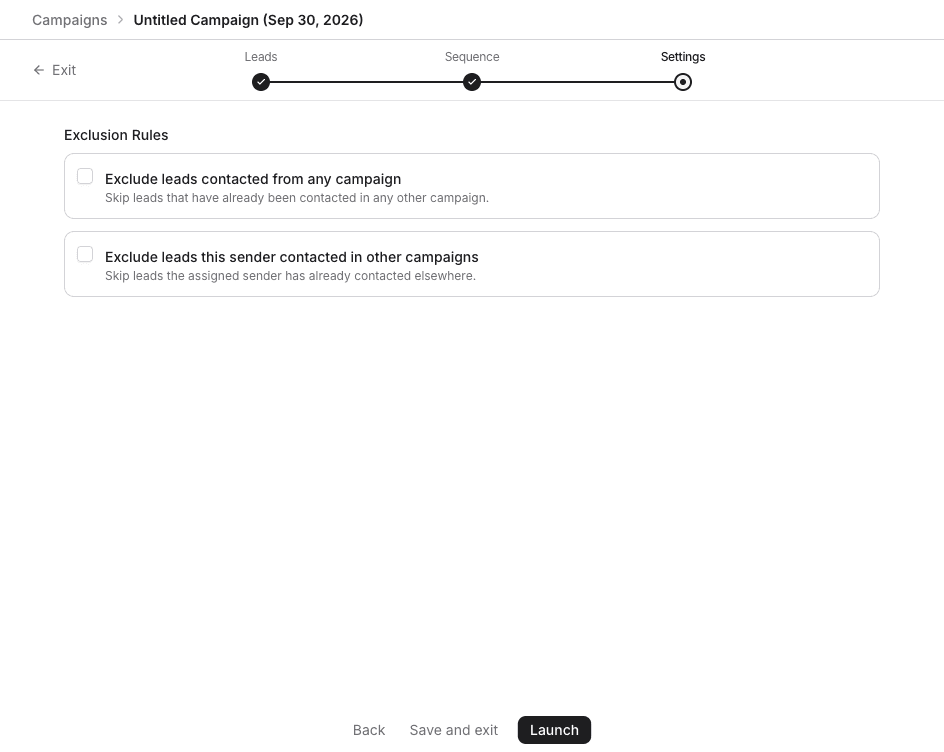
| Rule | Who it skips |
|---|---|
| Exclude leads contacted from any campaign | Leads already contacted in any other campaign. |
| Exclude leads this sender contacted in other campaigns | Leads the assigned sender already contacted elsewhere. |
| Exclude leads contacted by other senders | Leads contacted by a different LinkedIn account. This rule appears when more than one LinkedIn account is connected. |