

Create a Campaign
Start a campaign that can send on LinkedIn, by email, or both.
New Campaign opens a draft and walks you through leads, the sequence, and settings.
Prerequisites
- A sender. LinkedIn steps need a connected LinkedIn account. Send email needs a mailbox on that sender.
- People to enroll. You can add them from a list, an import, or a search.
Step 1: Start the draft
- Click Campaigns in the left sidebar.
- Click New Campaign.
Obert creates a draft named Untitled Campaign plus today's date, and opens the wizard. The steps are Leads, Sequence, and Settings.
- Click the campaign name in the breadcrumb.
- Type a name.
- Press Enter.
Step 2: Add leads
The Leads step starts empty.
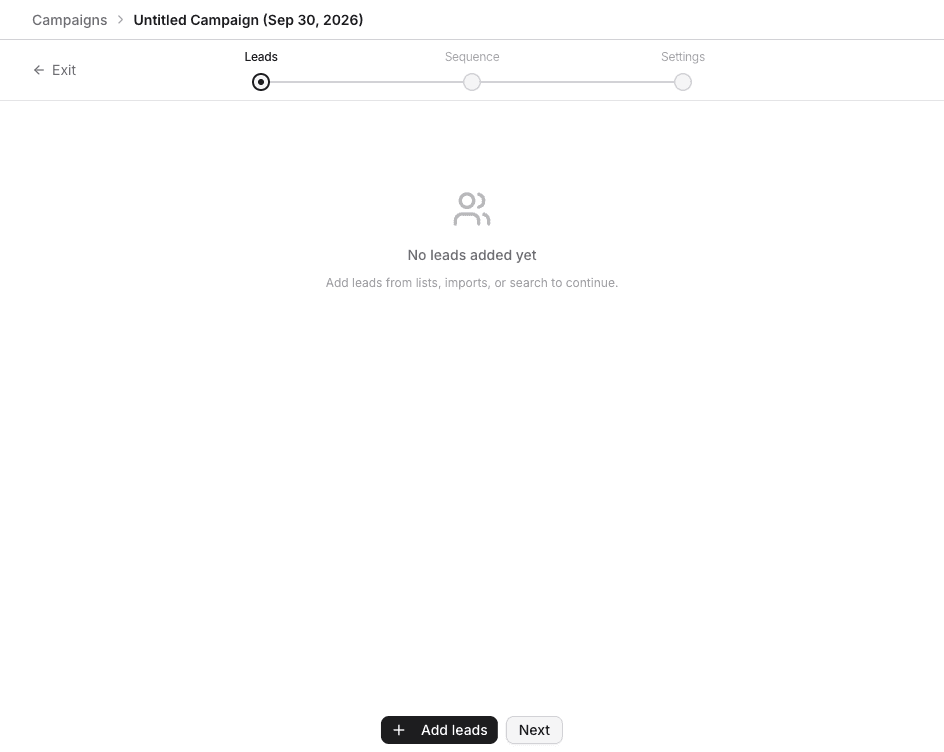
- Click Add leads.
- In Add Leads, choose a source. From Existing List is first when you already have a list. The other sources are LinkedIn Profile, LinkedIn Resolver, CSV File, Post Engagers, LinkedIn Search, Sales Nav Search, and Account Employees. HubSpot CRM and Pipedrive CRM appear when those integrations are connected.
- Finish the import. The leads show on this step.
- Click Next.
You can click Next with no leads and add them later. Launch stays blocked until the campaign has leads and a send step.
Step 3: Design the sequence
The Sequence step opens on templates. The full step list is on Design a sequence.
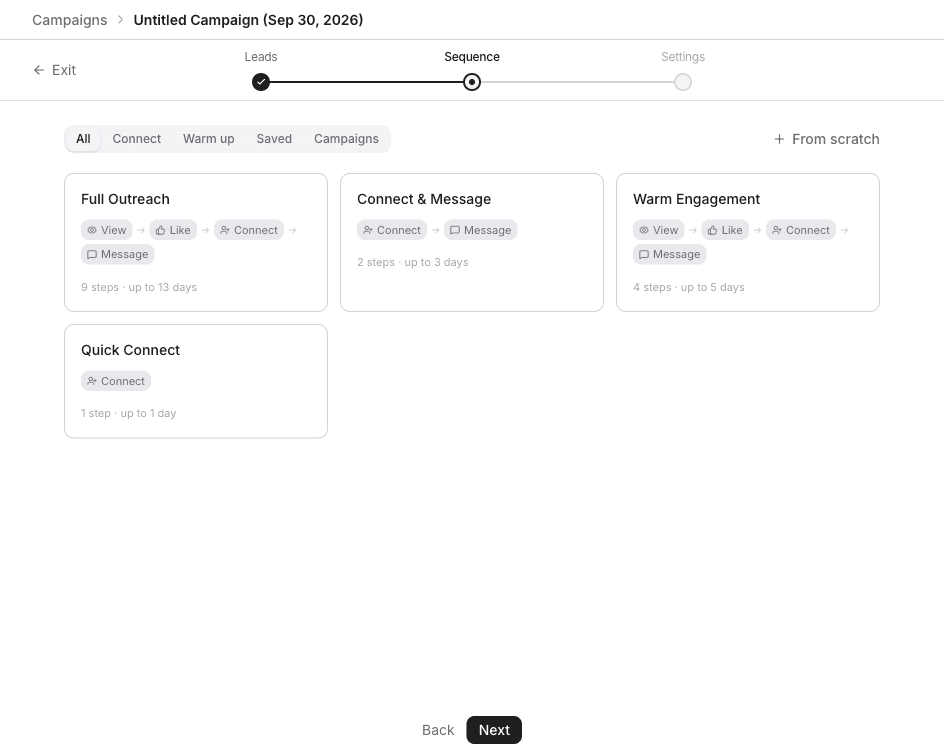
- Click a template, then Use this template. Or click From scratch.
- Add at least one send step if you started from scratch. That can be a LinkedIn step, Send email, or both.
- Click Next.
Step 4: Set exclusions and launch
Settings is where you choose who is skipped, and who sends when the workspace has more than one sender. That is on Assign senders.
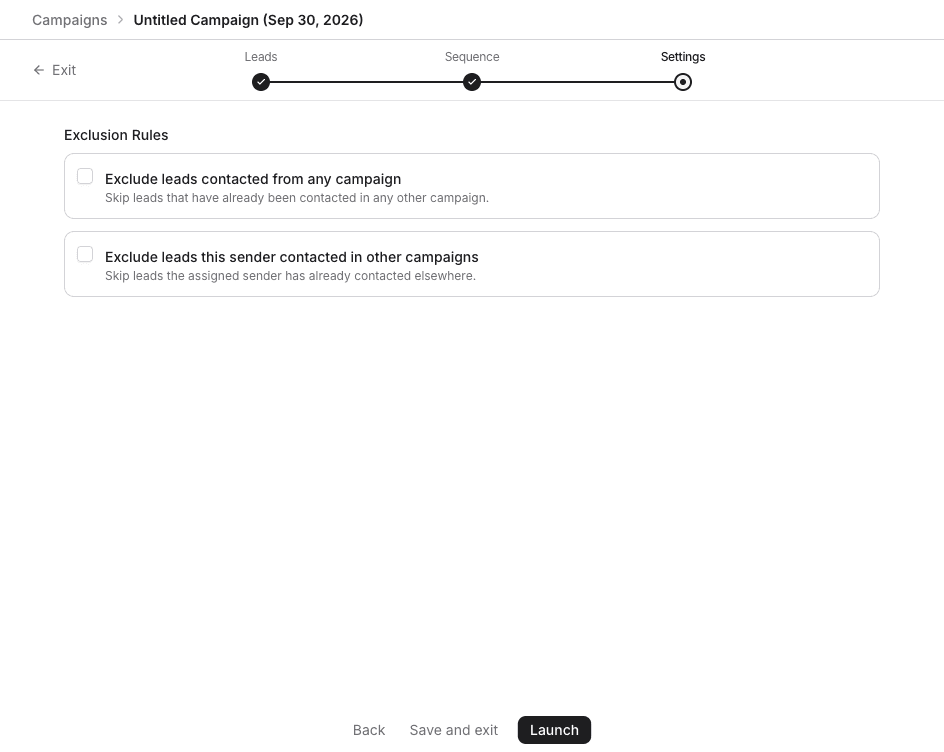
- Click Save and exit to keep the draft, or Launch to start it.
- In Launch Campaign?, click Launch Campaign.
Cancel closes the dialog and leaves the campaign as a draft.
If setup is incomplete, Finish setup before launching lists what to fix. Click Go back and fix.
What happens after launch
- Obert resolves the leads, assigns senders, and starts the sequence.
- Each lead moves through the sequence on their own.
- A reply pauses that lead's sequence. The conversation is in the inbox.
- Open the campaign to watch progress on Launch and monitor.